Smart Skin Tracker
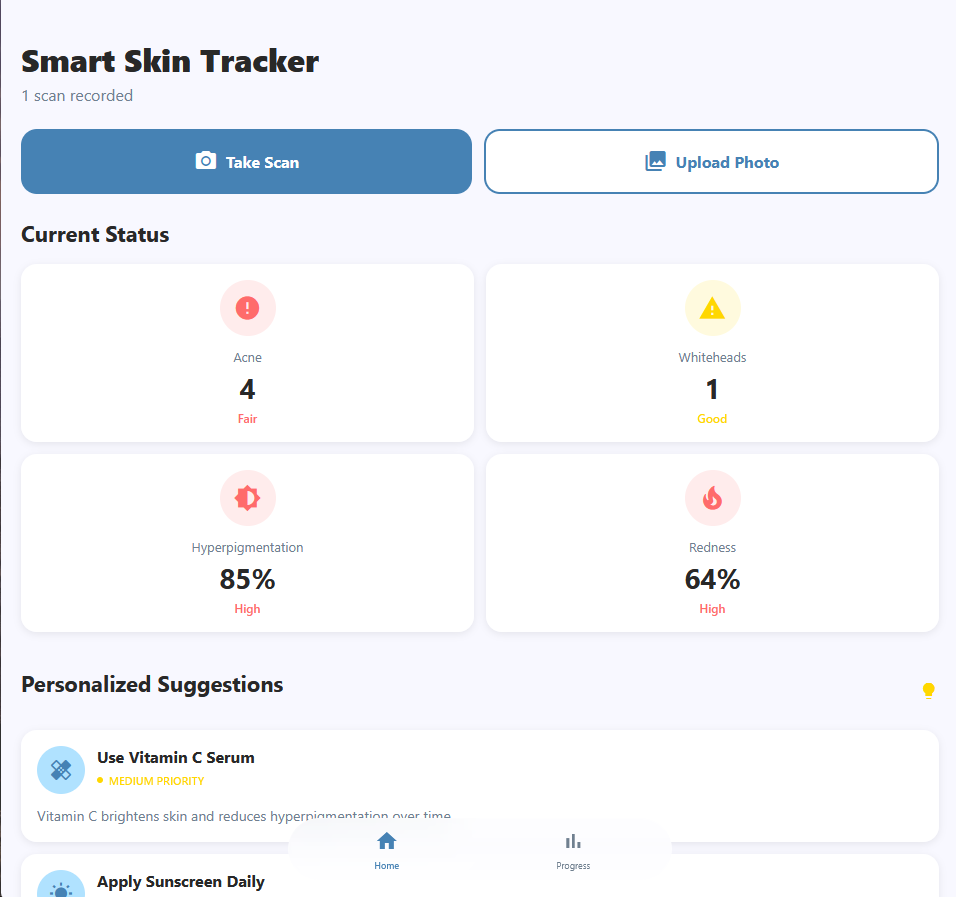
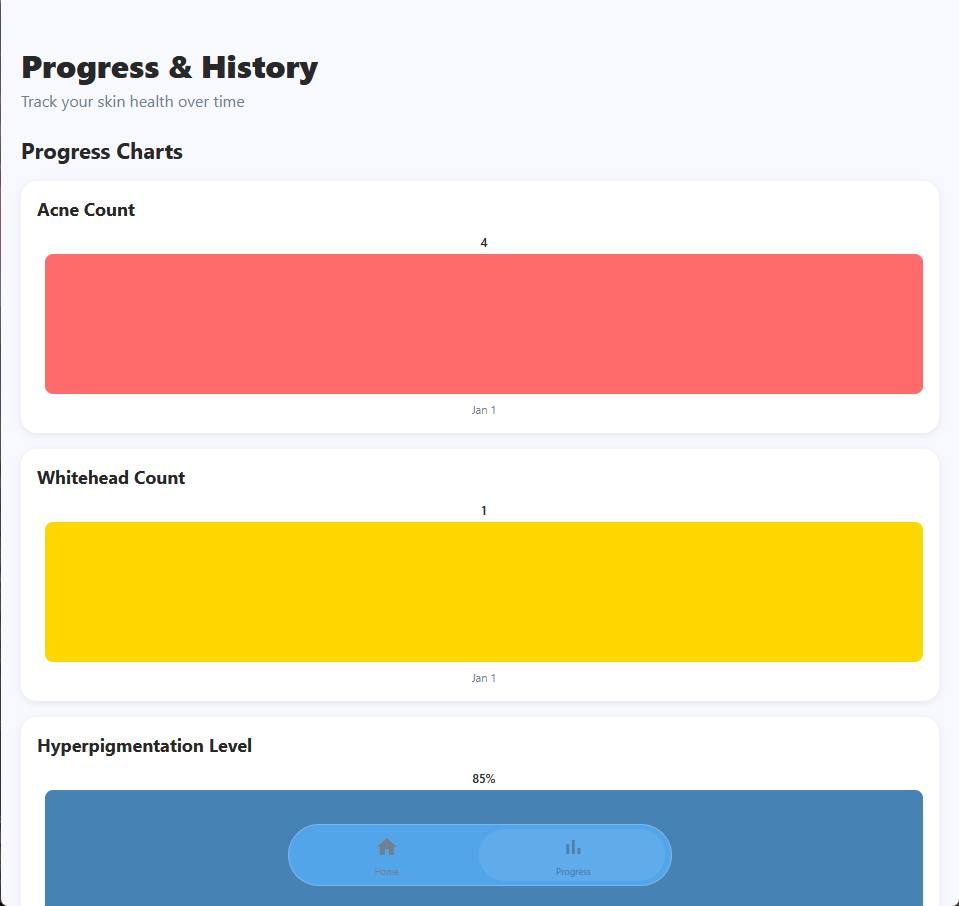
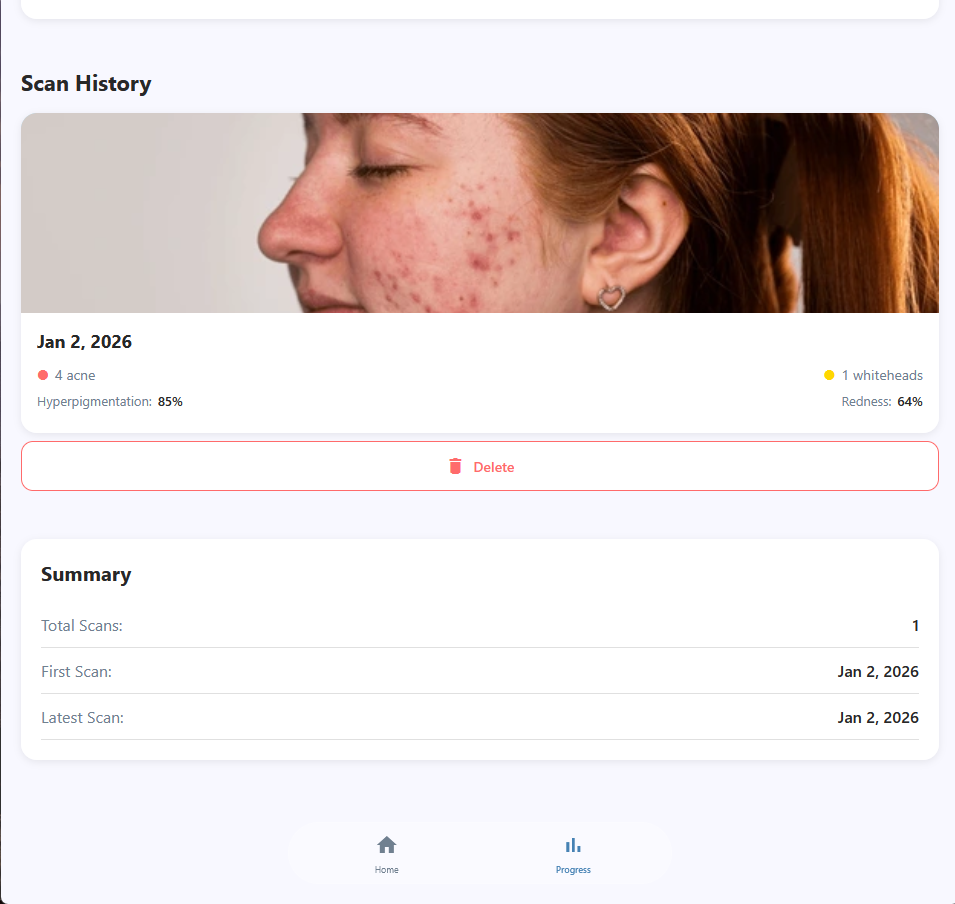
Smart Skin Tracker is a mobile application designed to analyze and track skin health using computer vision and machine learning. The app allows users to capture or upload images of their skin and receive detailed analysis based on visible features such as texture, acne, redness, and other surface indicators. By combining image processing with intelligent analysis, the application provides users with actionable insights while allowing them to monitor changes in their skin over time.
The application enables users to take photos directly within the app or upload existing images from their device. These images are processed using a machine learning model that evaluates skin characteristics and produces an assessment based on detected patterns. Results are presented in a clear and intuitive interface, making the information easy to understand for non technical users.
Smart Skin Tracker also supports progress tracking by allowing users to store past analyses and compare results across different time periods. This makes it possible to observe trends, improvements, or changes in skin condition over time, encouraging consistency and informed decision making. The app focuses on delivering a personalized experience by keeping user data organized and accessible within the application.
This project demonstrates the practical application of machine learning and computer vision in a real world health and wellness context. It highlights skills in mobile application development, image processing, and user focused design while showcasing the ability to integrate intelligent systems into functional consumer software.
Smart Skin Tracker reflects a strong understanding of end to end application development, from capturing and processing data to presenting meaningful results through a clean and responsive interface.
Here is some code that illustrates how I display scan results:
import React from 'react';
import { View, Text, Image, StyleSheet, TouchableOpacity } from 'react-native';
import { colors } from '@/styles/commonStyles';
import { SkinScan } from '@/types/skinData';
import { IconSymbol } from './IconSymbol';

interface ScanCardProps {
  scan: SkinScan;
  onPress?: () => void;
};

export function ScanCard({ scan, onPress }: ScanCardProps) {
  const formatDate = (date: Date) => {
    return date.toLocaleDateString('en-US', {
      month: 'short',
      day: 'numeric',
      year: 'numeric',
    });
  };

  return (
    <TouchableOpacity
      style={styles.card}
      onPress={onPress}
      activeOpacity={0.7}
    >
      <Image source= style={styles.image} />
      <View style={styles.content}>
        <Text style={styles.date}>{formatDate(scan.date)}</Text>
        <View style={styles.metricsRow}>
          <View style={styles.metric}>
            <IconSymbol
              ios_icon_name="circle.fill"
              android_material_icon_name="circle"
              size={12}
              color={colors.error}
            />
            <Text style={styles.metricText}>{scan.acneCount} acne</Text>
          </View>
          <View style={styles.metric}>
            <IconSymbol
              ios_icon_name="circle.fill"
              android_material_icon_name="circle"
              size={12}
              color={colors.warning}
            />
            <Text style={styles.metricText}>{scan.whiteheadCount} whiteheads</Text>
          </View>
        </View>
        <View style={styles.metricsRow}>
          <View style={styles.metric}>
            <Text style={styles.metricLabel}>Hyperpigmentation:</Text>
            <Text style={styles.metricValue}>{scan.hyperpigmentationLevel}%</Text>
          </View>
          <View style={styles.metric}>
            <Text style={styles.metricLabel}>Redness:</Text>
            <Text style={styles.metricValue}>{scan.rednessLevel}%</Text>
          </View>
        </View>
      </View>
    </TouchableOpacity>
  );
}
Here is the deployed application Smart Skin Tracker.